
KSL.com News Utah
Deseret Digital MediaNews & Magazines
3.81.31K Reviews
- Version
- 2.41.0
- Installs
- 500.00K
- Age Rating
- Everyone
Screenshots
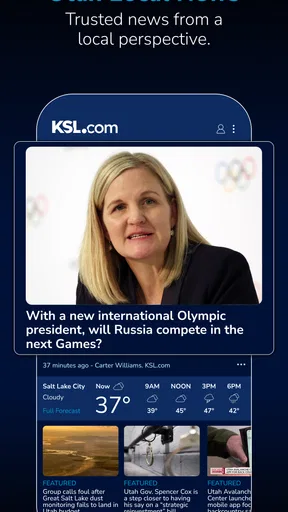
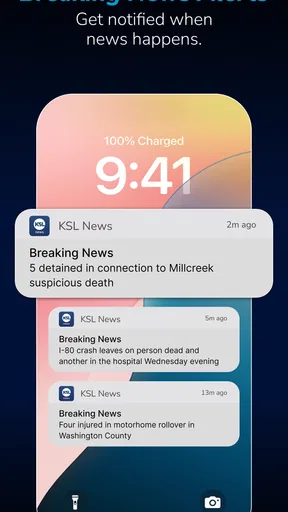
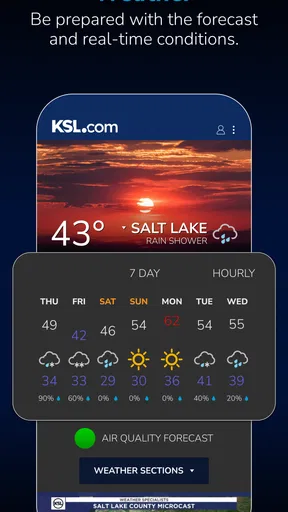
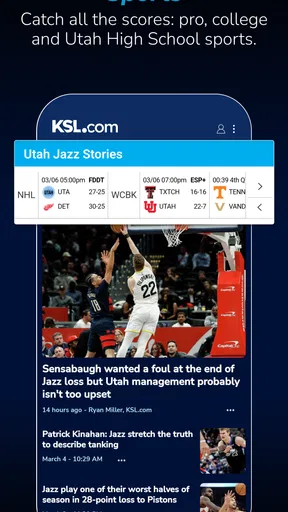


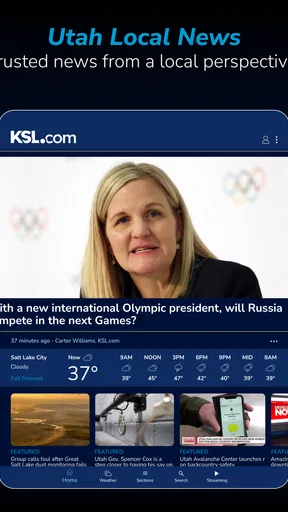
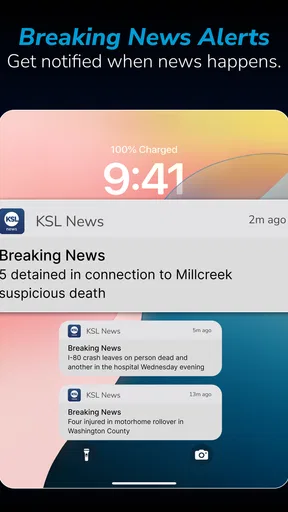
Our Review of KSL.com News Utah
 Analysis by Appyee
If you want local Utah reporting rather than a broad national news feed, KSL.com News is a practical place to start. I found its focus immediately clear: this is a free news and magazines app from Deseret Digital Media, built around local coverage for people who live in Utah, work there, or simply want to follow what is happening across the state. It is available to everyone, and the current version is 2.41.0 for devices running Android 8.0 or later.
My first impression was that the app makes more sense as a daily local-news habit than as a complete replacement for every source of information. It helps answer the questions that national apps often overlook: what is happening nearby, which Utah stories are developing, and what local issues deserve attention today. The trade-off is equally important: readers looking mainly for international reporting, deep specialist analysis, or a highly personalized news experience may prefer a larger general-purpose news platform.
What to expect from the Utah-focused news experience
The app’s identity is straightforward. KSL.com News is designed to put Utah news first, so the value depends heavily on whether local reporting is useful to you. If I were recommending it to a friend moving to Utah, I would describe it as a convenient starting point for building awareness of the state rather than a single source that should replace every other publication.
That local emphasis changes how I use it. Instead of opening the app expecting an endless stream of worldwide headlines, I treat it as a quick check-in during breakfast, a way to understand a developing local story, or a source to consult when something in my area may affect travel, work, school, or family plans. The shorter path to nearby information is its strongest reason to install it.
The app has been available since December 23, 2011, which gives it a long-standing place in the mobile news category. Its current audience is substantial, with more than half a million installs, while its average score sits at 3.8 from roughly three thousand six hundred ratings. That combination suggests a familiar, useful service with room for individual preferences and occasional frustrations. I would not read the rating as a verdict on every phone or every story; news apps are especially sensitive to layout changes, update habits, and what a reader expects from local coverage.
Because it is free, the decision to try it is easy. I would still approach it with a clear purpose. Install it if you want Utah headlines close at hand, especially if local events affect your routine. Skip it if your main goal is a carefully curated international briefing, a newspaper-style long-read experience, or one app that gives equal weight to every region.
Who benefits most from the local focus
Utah residents are the obvious audience, but they are not the only ones. Someone relocating to the state can use it to become familiar with the issues being discussed locally. A parent may want a quick way to stay aware of regional developments before the day begins. A commuter or frequent traveler may value local reporting when conditions or public events change. Even former residents who still have family in Utah can find the focus more useful than a generic national feed.
Visitors should set their expectations differently. The app can help them understand what is happening in the state, but it should not be treated as a substitute for checking practical information from an official organization when a decision has safety, travel, legal, or financial consequences. That is not a criticism of this particular app; it is simply a sensible boundary for using any news source.
I also think the app suits readers who prefer to choose their own level of attention. A local-news app can be opened briefly without demanding a long reading session. At the same time, if a headline matters, it gives me a direct route into the story instead of forcing me to search through a broad national timeline where Utah coverage may be buried.
Starting with the app and reaching a useful first result
I’d start by giving the app one clear job: help me get oriented to what is happening in Utah, rather than trying to replace every source I use. In this section, I’ll look at how to move from opening the app to finding a story worth reading, then consider how that first visit can become a useful routine.
Install it with a clear first goal
The easiest first step is to decide what you want from the app before opening it. My recommendation is to choose one of three goals: learn the main Utah stories of the day, follow a local subject that affects your routine, or check the app when a regional event is developing. Having one purpose prevents the first session from becoming a vague scroll through headlines.
The age rating is Everyone, and the app is free to use. On Android, the minimum supported operating system is version 8.0, so people using an older device should check compatibility before planning around it. I would also avoid judging the whole experience during a rushed first minute. News apps need a little time to show their value because their usefulness comes from returning regularly and recognizing which coverage is relevant to you.
Use the first opening as a quick orientation
When I open a local news app for the first time, I do not try to read everything. I scan the opening screen and ask three simple questions: Are the headlines clearly Utah-focused? Can I tell which stories are current? Can I reach a full article without unnecessary confusion? Those checks reveal more than reading a dozen unrelated stories.
For a first meaningful session, I would choose one headline that affects the whole state and one that feels closer to everyday life. Read enough of each to decide whether the reporting style and level of detail suit you. This is a better test than relying only on the first headline, because a single breaking story may not represent the app’s broader usefulness.
A helpful habit is to separate “interesting” from “actionable.” A story may be worth reading because it explains an issue, while another may matter because it could change your plans. I use the app most effectively when I do not confuse a busy headline list with understanding. Opening the article, checking its context, and deciding whether I need another source is a more reliable workflow.
The first successful action: turn a headline into a daily routine
The first success I look for is not simply opening a story. It is finding a repeatable reason to return. For example, I might check the app once in the morning to see what changed overnight, then open only the stories connected to my location or schedule. That keeps the app useful without turning local news into an all-day distraction.
Another effective workflow is to use it as a starting point when someone mentions a Utah story. Rather than searching the entire web immediately, I can check whether the subject is already covered in the local feed, read the available context, and then decide whether I need confirmation elsewhere. This makes the app a fast orientation tool, especially for people who do not already have a set of local news sources.
The most useful first habit is a deliberate two-minute scan followed by one complete article. The scan keeps me aware of the wider local picture, while the full article prevents me from forming an opinion from headlines alone. That small distinction is easy to miss, but it is what turns a news app from a notification stream into something genuinely informative.
How it compares with broader news alternatives
Compared with a general news aggregator, KSL.com News has a narrower center of gravity. A large aggregator is usually better when I want many publishers, international coverage, or a feed shaped around several unrelated interests. Its weakness is that local Utah stories can become less visible among national and global headlines.
Compared with reading news through a mobile browser, the dedicated app is more convenient for repeated check-ins. I do not have to remember where to begin each time, and the experience is built around returning to local coverage. The browser may still be preferable for someone who wants to compare several outlets in separate tabs or avoid installing another app.
Compared with a newspaper subscription app, this free option is easier to try and more approachable for casual readers. A paid publication may be a better fit for readers who want extensive investigative work, a strong opinion section, or a publication-centered reading experience. I would use KSL.com News for quick local awareness and add another source when I need depth, contrasting viewpoints, or a broader regional comparison.
Common confusion when reading local coverage
One point that can confuse first-time users is the difference between local relevance and personal relevance. A story can be important to Utah without affecting my neighborhood or schedule. I try not to dismiss the app because the first few headlines do not match my immediate concerns. Instead, I look for patterns over several visits: whether the topics I care about appear regularly and whether the reporting gives enough context to justify returning.
Another source of confusion is the speed of developing news. Early reports can change as more information becomes available. I treat an initial headline as a reason to pay attention, not as the final version of events. If a story could influence travel, safety, money, or a major decision, I check for later updates and consult the appropriate official source before acting.
Readers may also wonder whether a local app can replace television, radio, social media, or a national news service. In my experience, the better answer is no: it complements those sources rather than making all of them unnecessary. Its advantage is focus. Its limitation is that focus naturally leaves less room for subjects outside Utah or for perspectives that require a wider publication mix.
Making the app less noisy and more useful
I recommend resisting the urge to open every headline. A local feed can contain stories that are relevant to the state but not useful to me personally. I scan first, choose deliberately, and leave the rest for another visit. This keeps the app from feeling like a task list and makes it easier to notice the stories that genuinely deserve attention.
I also keep a distinction between routine reading and urgent information. Routine reading is where the app is most comfortable: catching up, learning local context, and noticing developing themes. Urgent information deserves more care. If I need a definitive closure, warning, deadline, or instruction, I verify it with the responsible agency rather than relying on a headline alone.
A third tip is to revisit stories that affect a continuing situation instead of assuming the first article tells the whole story. Local events often develop over time, and the useful question may shift from “What happened?” to “What changes next?” Returning to the app with that question gives it more value than repeatedly refreshing without a purpose.
Who should choose another option
I would not make this my only news app if my interests are mostly international, financial, scientific, or entertainment-focused. A national publication or specialized service will likely provide more depth in those areas. Likewise, readers who want extensive customization across many regions may prefer an aggregator that offers a wider range of sources and topic controls.
It may also be the wrong fit for someone who dislikes checking news manually. If you want a tightly managed briefing that delivers only a few selected subjects, a different kind of service may feel more efficient. KSL.com News makes the most sense when I am willing to browse local coverage and decide what matters, rather than expecting the app to know my priorities perfectly.
My recommendation after regular use
My overall view is positive but specific: KSL.com News is worth trying if Utah news is part of your daily life. Its free price, Everyone rating, and clear local purpose make the first step low-risk, while its long presence in the category suggests it is not a temporary experiment. The 3.8 average rating tells me to keep expectations realistic, but it does not outweigh the practical benefit of having local coverage gathered in one focused place.
I especially recommend it to a first-time local-news reader who wants a reassuring path into the subject. Install it on a compatible Android device, scan the opening headlines, read one complete story, and return the next day with a specific question. That sequence quickly shows whether the app fits your habits without requiring a long setup or a commitment to replace every other source.
My main reservation is scope. The app’s strength is also its boundary: it is centered on Utah, so readers seeking a complete national or global news diet will need something else alongside it. I would also avoid treating any single article as the final word on a high-stakes situation. Use the app to discover, understand, and follow local stories, then verify important instructions through the relevant official channel.
For the right reader, that is enough to make it valuable. I would keep KSL.com News as a local starting point, use it for a short daily check-in, and pair it with a broader source when I want national perspective or specialized reporting. It works best as a focused Utah news companion, not as an all-purpose replacement for the entire news world.
Verdict
Strengths of KSL.com News Utah
- Fast access to breaking news and local Utah coverage.
- Includes weather, sports, traffic, and community updates in one app.
- Live video and audio coverage are useful during major local events.
- Personalized alerts help users follow topics and areas they care about.
- Classifieds, obituaries, and local listings add practical everyday value.
Limitations of KSL.com News Utah
- Some sections may feel crowded because the app covers many content categories.
- Frequent notifications can become distracting unless carefully customized.
- Advertising may interrupt browsing and reduce the clean reading experience.
- Coverage is primarily Utah-focused, limiting its value for users elsewhere.
- Some articles may require extra taps to view media or related information.
Similar Picks in This Category
View All
Google News - Daily Headlines
Google LLC4.0

X
X Corp.4.8

Flipboard:Your Social Magazine
Flipboard3.4

Opera News: breaking & local
Opera4.5

Hindi News by Dainik Bhaskar
Dainik Bhaskar Group4.0

Way2News Daily News App
Way2News ( Formerly Way2SMS )4.6
Frequently Asked Questions
What is KSL.com News Utah?
KSL.com News Utah is a news and information app focused on Utah communities and the surrounding region. After exploring the app, we found that it combines local breaking news, weather updates, traffic information, sports coverage, politics, business, entertainment, and lifestyle stories in one place. It is designed for readers who want quick access to Utah-focused reporting rather than only national headlines.
What kind of content can I read in the KSL.com News Utah app?
The app offers a broad selection of content, including local news reports, investigative stories, weather forecasts, road and traffic updates, Utah Jazz and BYU coverage, community announcements, and lifestyle features. Users can browse sections individually or follow the latest headlines from the main feed. Coverage may also include regional and national stories that are especially relevant to Utah residents.
Does KSL.com News Utah provide breaking news notifications?
Yes, the app can provide notifications for breaking news and other important updates, depending on the settings selected on your device. During testing, notifications were useful for staying informed without constantly opening the app, although frequent alerts may feel excessive for some users. You can normally manage notification categories through the app settings or your phone’s system notification controls.
Is KSL.com News Utah free to download and use?
KSL.com News Utah is generally free to download and offers access to a large amount of news content without requiring a subscription. However, the experience may include advertising, and certain features or content policies can change over time. Users should review the current listing in the Google Play Store or Apple App Store for the latest information about availability, in-app purchases, and regional restrictions.
Does the app require an account or collect personal information?
You can typically browse much of the news content without creating an account, which makes the app convenient for casual readers. Some interactive features, such as saving preferences, participating in discussions, or using personalized services, may require additional information. Before downloading, review the app’s current privacy policy and store permissions because data practices, advertising technologies, and account requirements may change with future updates.
